Creating a desk setup that supports both focus and comfort can make a significant difference in your productivity and overall well-being. Whether you work from home, study, or spend hours on creative projects, an organized and ergonomic workspace helps reduce distractions and physical strain. Below are practical tips to help you design a desk setup that encourages concentration and feels comfortable throughout the day.
Choose the Right Desk and Chair
Desk Size and Surface
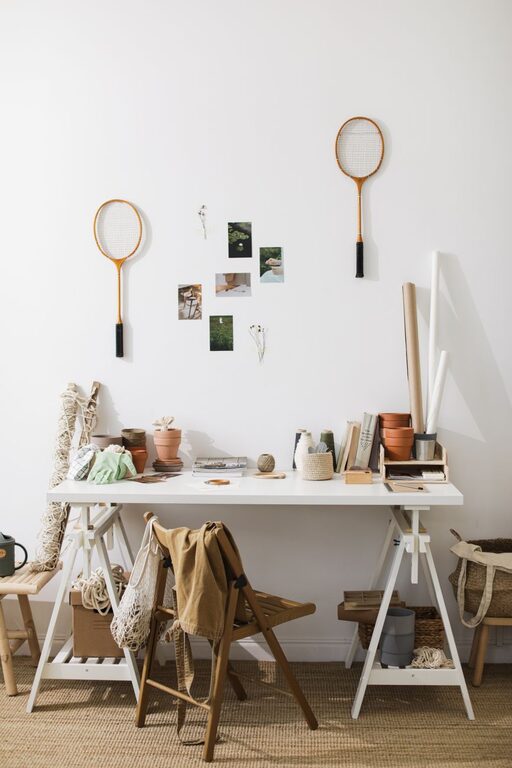
Start by selecting a desk that fits well in your available space and provides ample surface area. You want enough room to place essentials like your computer, notebooks, and any tools or accessories you use regularly. Avoid cluttered surfaces, as too many items can distract you and reduce efficiency.
Ergonomic Chair
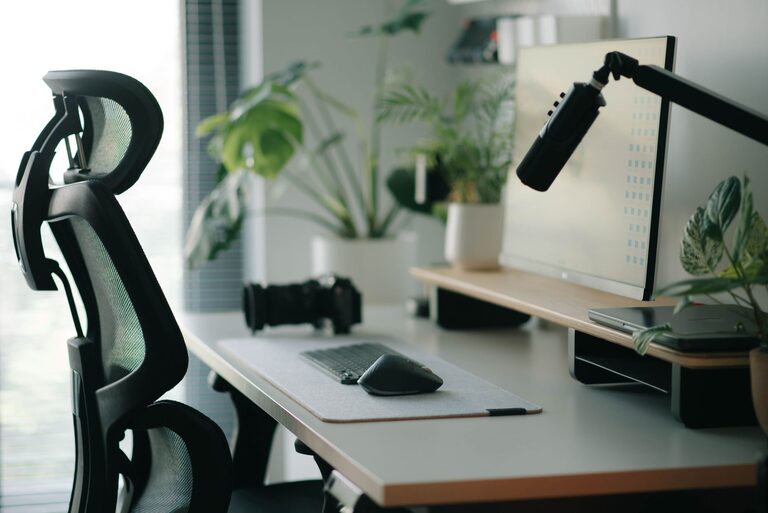
Invest in a chair that supports good posture. Look for adjustable height, lumbar support, and comfortable cushioning. Your chair should allow your feet to rest flat on the floor and your knees to be roughly at a 90-degree angle. This helps prevent back pain and discomfort during long working sessions.
Position Your Monitor and Lighting Correctly
Monitor Placement
Place your computer monitor at eye level, about an arm’s length away. This reduces neck strain from looking too far down or up and helps prevent eye fatigue. If you use a laptop, consider a stand to raise it to the proper height, paired with an external keyboard and mouse.
Lighting
Natural light is ideal, so position your desk near a window if possible. However, avoid glare on your screen by adjusting blinds or curtains. Use a desk lamp with adjustable brightness and color temperature to reduce eye strain during darker hours. Soft, warm light creates a cozy environment, while cooler light can boost alertness.
Organize Your Desk for Efficiency
Declutter
Remove unnecessary items from your desk surface. Keep only the essentials you use daily within reach. This helps reduce visual distractions and mental clutter.
Use Storage Solutions
Incorporate drawer organizers, shelves, or desktop trays to store supplies like pens, paper, and chargers. Assign specific places for each item to make it easier to find what you need and put things away quickly.
Cable Management
Tidy up cables with clips, sleeves, or under-desk trays. Neat cables not only improve the look of your workspace but also prevent tangling and accidental unplugging.
Incorporate Comfort-Enhancing Accessories
Wrist Support
Use wrist rests for your keyboard and mouse to reduce strain on your wrists and hands during typing or clicking.
Footrest
If your feet don’t reach the floor comfortably, add a footrest to improve circulation and posture.
Plants and Personal Touches
Adding a small plant or a few personal items can make your workspace feel inviting and reduce stress. Choose low-maintenance plants like succulents or air plants that thrive indoors.
Establish a Functional Layout
Zones for Different Tasks
Divide your desk into zones—for example, one area for computer work, another for writing or reading. This helps your brain switch tasks more smoothly and keeps each activity organized.
Keep Often-Used Items Close
Place frequently used tools like your phone, notepad, or coffee cup within easy reach to avoid unnecessary stretching or distractions.
Maintain Good Habits for Focus
Take Regular Breaks
No desk setup is complete without a plan for breaks. Follow the 20-20-20 rule: every 20 minutes, look at something 20 feet away for 20 seconds. Stand up, stretch, and move around to avoid stiffness.
Set Boundaries
If you work from home, create clear boundaries between work and relaxation areas. This helps your mind associate your desk with productivity and reduces distractions.
Final Thoughts
A well-designed desk setup blends comfort, organization, and ergonomics to support your focus and health. By choosing the right furniture, optimizing lighting, minimizing clutter, and adding personal touches, you can create an environment where work feels natural and enjoyable. Small changes can have a big impact, so start experimenting today to find what works best for you.